
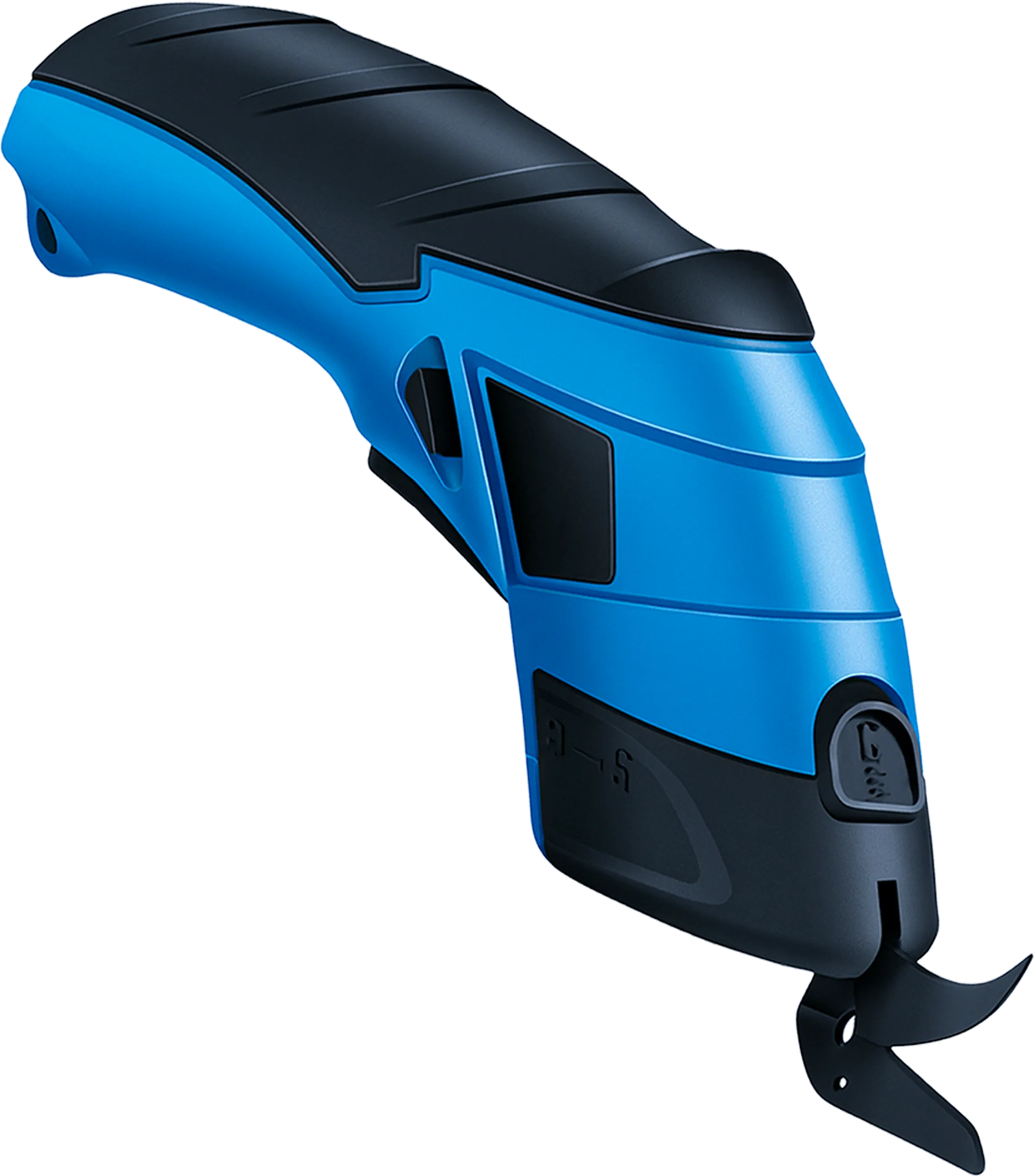
Overview: Why Cordless Electric Scissors Are a Game-Changer
In any sign shop or print production environment, manual cutting is one of the most repetitive and physically demanding tasks. Whether you're trimming vinyl rolls, cutting banner material, or slicing through multiple layers of fabric, traditional scissors or blades can lead to hand fatigue, inconsistent cuts, and slower output. Cordless electric scissors solve all of these problems in one ergonomic package.
These battery-powered scissors are designed to handle the daily demands of print and signage production. With a single squeeze of the trigger, the motorized blades slice through vinyl, fabric, paper, and other print media cleanly and consistently — without the hand strain associated with manual tools. Paired with replacement cutter blades, they offer a long service life that makes them a smart investment for any production shop.
For shops in the Philippines where high humidity and heat can make manual cutting even more taxing, cordless electric scissors are an especially practical upgrade. They are lightweight, portable, and rechargeable, meaning your team can use them anywhere on the production floor without being tethered to a power outlet.
Specifications
| Specification | Detail |
|---|---|
| Type | Cordless Electric Scissors |
| Power Source | Rechargeable Battery |
| Blade Type | Replacement Cutter Blades |
| Primary Use | Vinyl, fabric, paper, and print media cutting |
| Design | Ergonomic grip, lightweight body |
| Portability | Cordless, fully portable |
| Blade Replacement | Replaceable cutter blades for extended use |
How to Use Cordless Electric Scissors
Using cordless electric scissors is straightforward, but getting the best results requires a bit of technique. Before cutting, ensure the battery is fully charged and the blade is properly installed and secure. Always inspect the blade for wear — a dull or damaged blade will produce ragged edges and may snag materials.
When cutting vinyl or banner material, guide the scissors smoothly along the cut line without forcing or twisting the tool. Let the motorized blade do the work — excessive pressure is unnecessary and can shorten blade life. For curved cuts, move slowly and guide the scissors gently around the curve. For straight cuts, use a metal ruler or straight edge as a guide to ensure accuracy.
To replace the cutter blade, power off the scissors first and follow the manufacturer's instructions for your specific model. Always use the recommended replacement blades for optimal cutting performance and safety. Store the scissors in a clean, dry place when not in use, and charge the battery regularly to maintain peak performance.
Tip: Keep a set of spare replacement blades on hand in your shop. Blades wear out faster when cutting thick or abrasive materials like canvas-backed vinyl. Swapping to a fresh blade takes less than a minute and immediately improves cut quality.
Final Verdict
Cordless electric scissors are one of the highest-value accessories a sign or print shop can invest in. The productivity boost and reduction in operator fatigue alone justify the cost, especially in high-volume environments. When paired with genuine replacement cutter blades, these scissors deliver consistent, professional-quality cuts across all common print media types.
Strengths
- Drastically reduces hand fatigue during high-volume cutting
- Consistent, clean cuts on vinyl, fabric, and print media
- Cordless design allows use anywhere in the production area
- Replacement blades extend the tool's service life
- Ergonomic grip reduces operator strain
Limitations
- Battery requires regular charging — keep spares charged
- Not suitable for cutting rigid materials like acrylic or metal
- Blade replacement adds ongoing consumable cost